Duti Wallet · Bidding
Bid while your deposit is on the way
A bank deposit takes 2–3 business days to reach your Duti Wallet. You do not have to wait for it to bid. Schedule your circle payment on the pending deposit and add your bid in four taps.
Before you start: your deposit must be started. No deposit yet? Deposit money into your wallet first.
Step 1 of 4
Open Duti Wallet
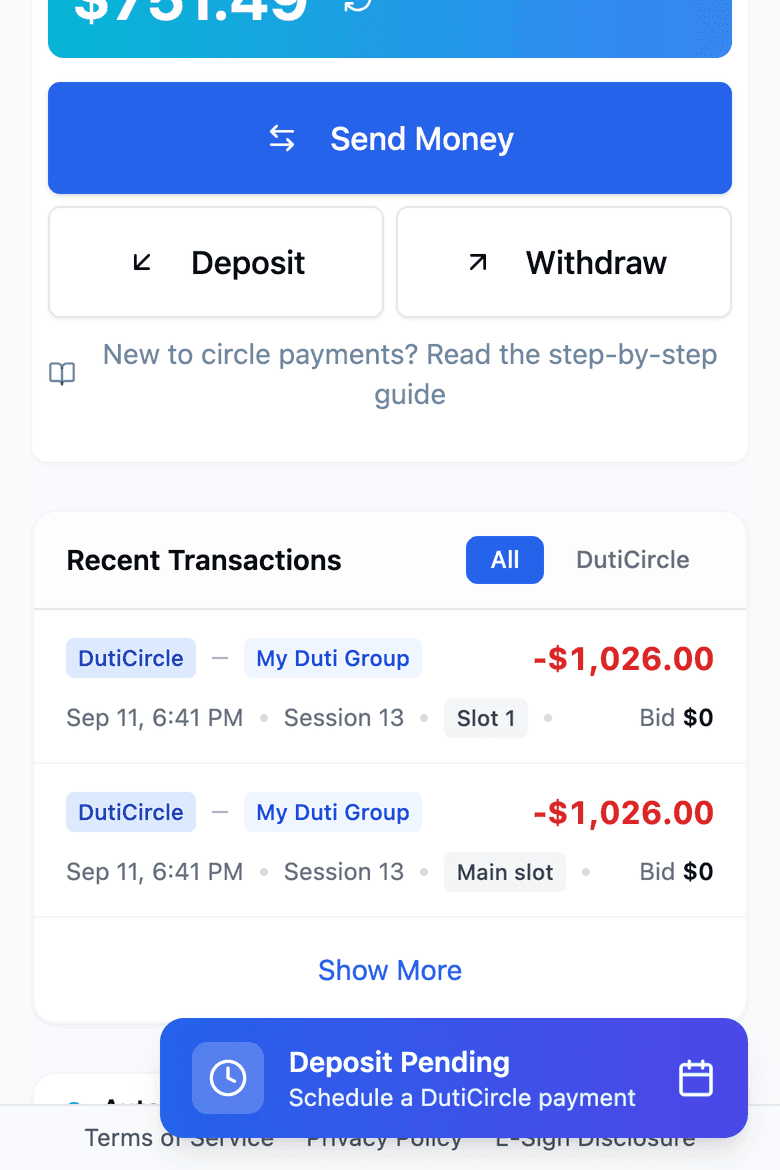
Tap the blue Deposit Pending button at the bottom of the screen.
You see this button after your deposit is started and before it arrives.
Step 2 of 4
Tap Schedule Payment
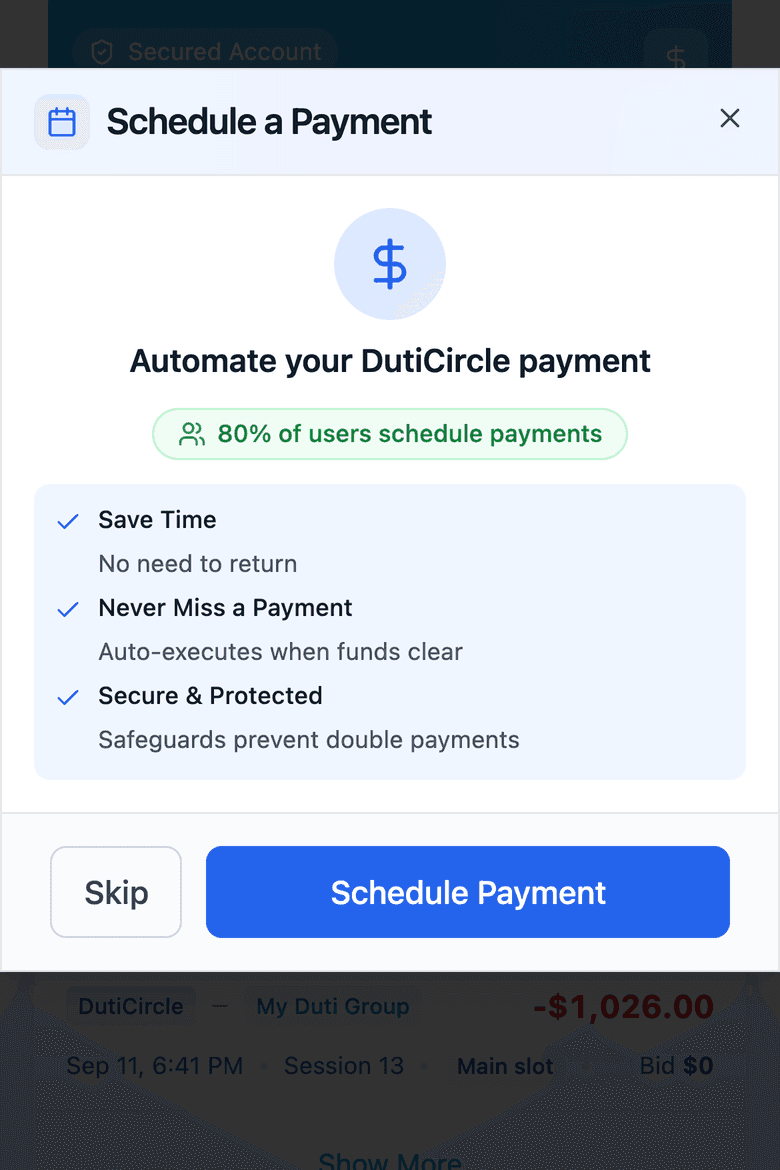
This box sends your circle payment by itself when your deposit arrives.
It is also where you add your bid.
Do not tap Skip. If you skip, no bid is entered.
Step 3 of 4
Select your group, then Continue
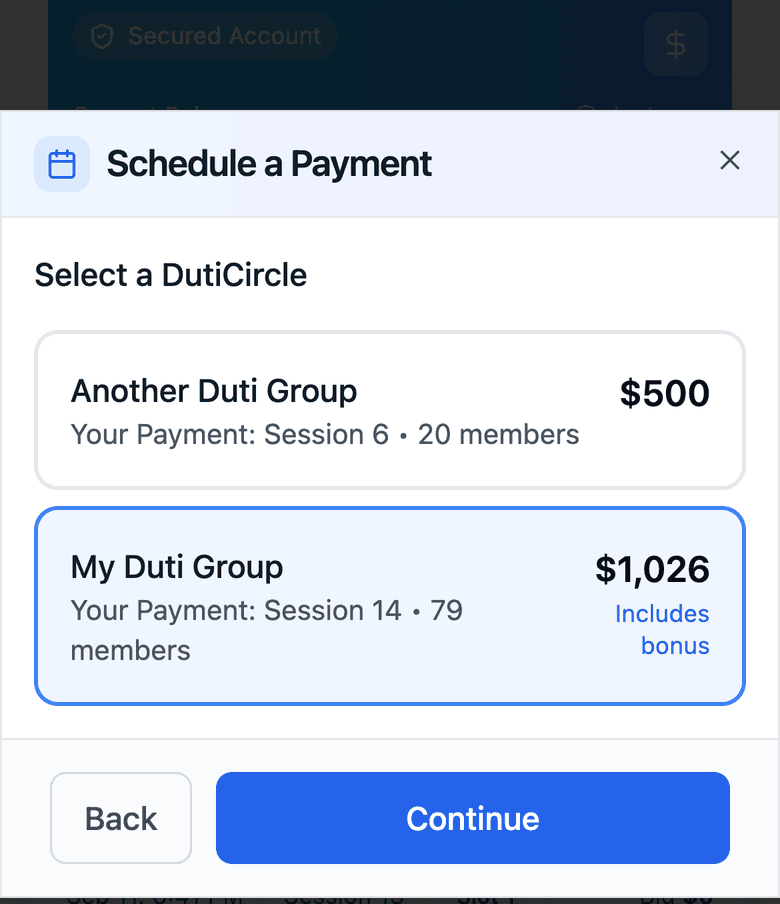
Tap the group you are paying. It turns blue.
Tap Continue.
In only one Duti group? You will not see this screen. Go to the next step.
Step 4 of 4
Type your bid, then Confirm
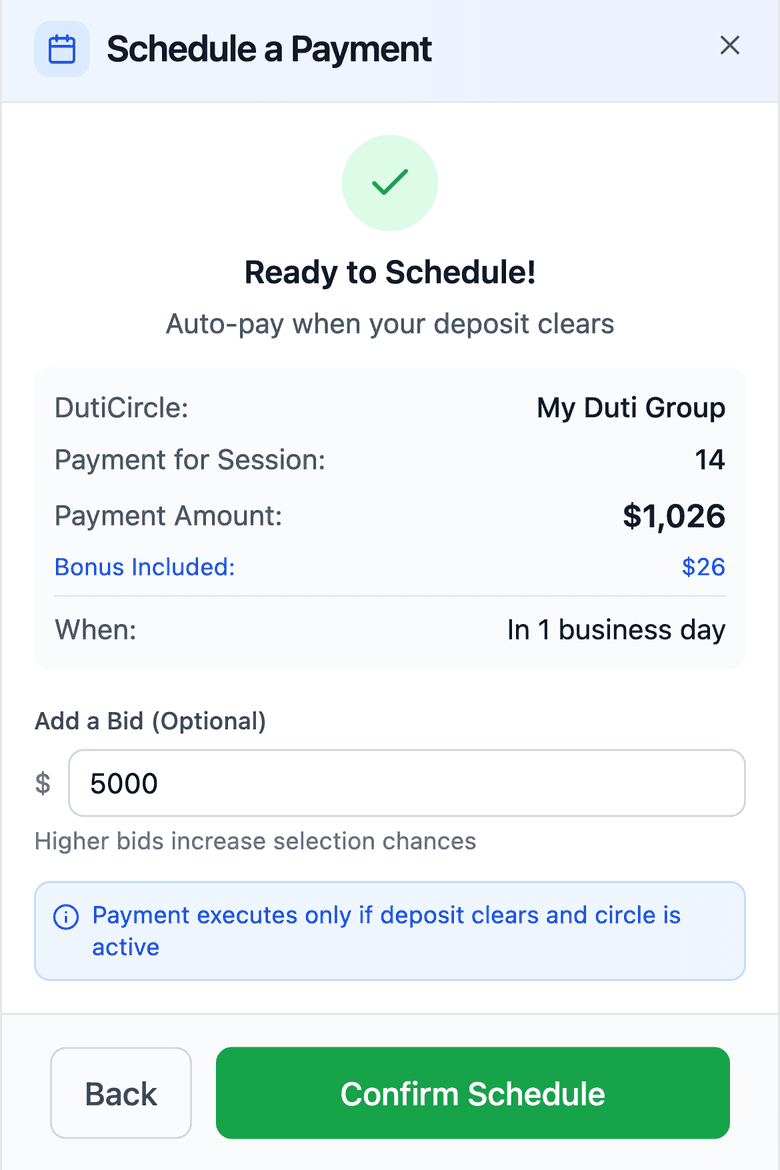
Type your bid under Add a Bid. Your organizer sets the minimum bid.
Tap Confirm Schedule. You will see “Payment scheduled successfully!”
The screen says “1 business day”. Deposits now take 2–3 business days.
Good to know
- Your bid counts right away
- You do not have to wait for your deposit to arrive. Your bid is entered when you confirm, as long as bidding is still open.
- Deposits take 2–3 business days
- Weekends and bank holidays do not count. Start your deposit early in the week so your payment arrives on time.
- If you win
- Your payout is released after your deposit has arrived in your Duti Wallet.
- Changing your bid
- While bidding is open, tap the pencil next to Bid on your pending deposit. If you do not see it, message your organizer.
- No blue button?
- It only shows while a deposit is pending and has no payment scheduled yet. If you use Auto-Pay, your payment is already scheduled.