Deposit Money into Your DutiWallet
Fund your wallet before dues are due
Your circle dues are paid from your Duti Wallet, so the wallet needs money in it first. This guide walks you through a deposit — moving money from your linked bank into your wallet, confirming the next-day transfer, optionally scheduling your circle payment, and knowing when the money has landed.
Tap “Deposit”
Open your Duti Wallet and tap Deposit, just below your balance card. Do this a few days BEFORE your circle due date — bank transfers take 1–2 business days to arrive, so a deposit made the morning dues are due won't clear in time.
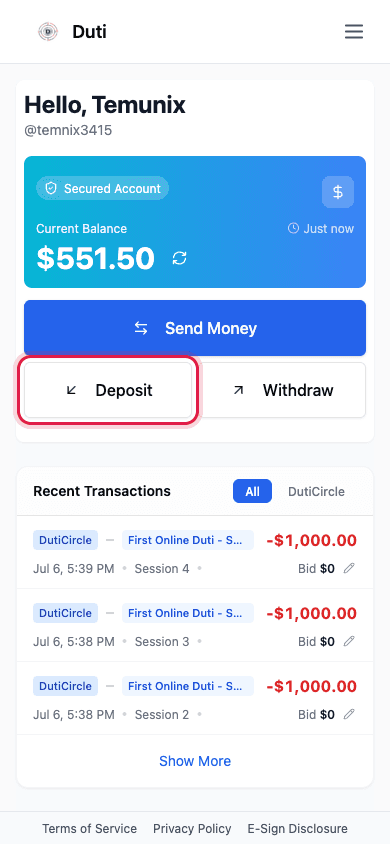
The Deposit button sits right under your balance card on the wallet home.
Enter the amount
The Deposit Funds sheet shows where the money comes from and where it goes. Before typing an amount, check the From bank account: it should show your bank with a Connected status and its available balance. If it says the connection needs to be fixed or reconnected, sort that out first — the Reconnect Your Bank guide at /guides/reconnect-bank walks you through it. Then enter how much to move into your Duti Wallet.
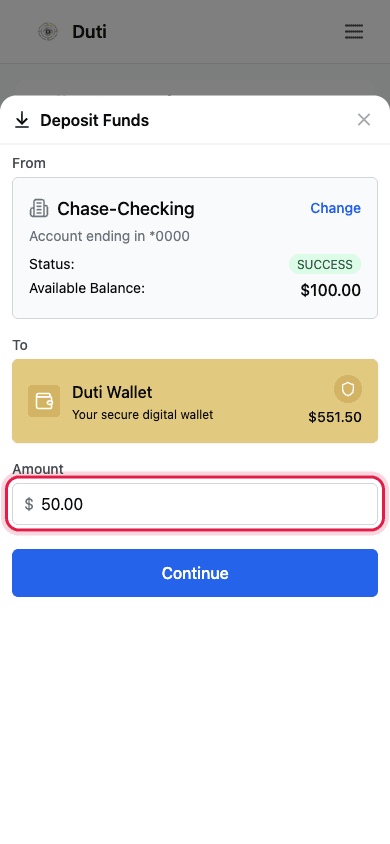
Check your bank shows Connected, then type the amount to move.
Review and confirm
The Confirm Deposit screen is your last check before the money moves. Processing shows Next Day: the money leaves your bank via ACH bank transfer and lands in your wallet typically within 1 business day. When everything looks right, tap Confirm Transaction.
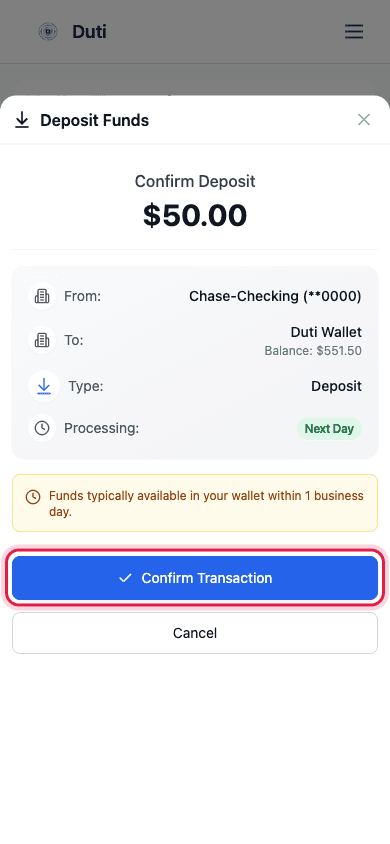
Processing is Next Day — funds typically arrive in your wallet within 1 business day.
- Type shows Deposit — money moving from your bank into your wallet
- From is your bank, To is your Duti Wallet
- The amber note is normal: funds are typically available within 1 business day
Optional: schedule your circle payment right away
Right after you confirm, a Schedule a Payment window appears. If you're depositing to cover circle dues, this is worth a look — it sets your dues payment to fire automatically once the funds clear, so you don't have to remember to come back. Tap Schedule Payment to set it up, or Skip if you'd rather pay manually.
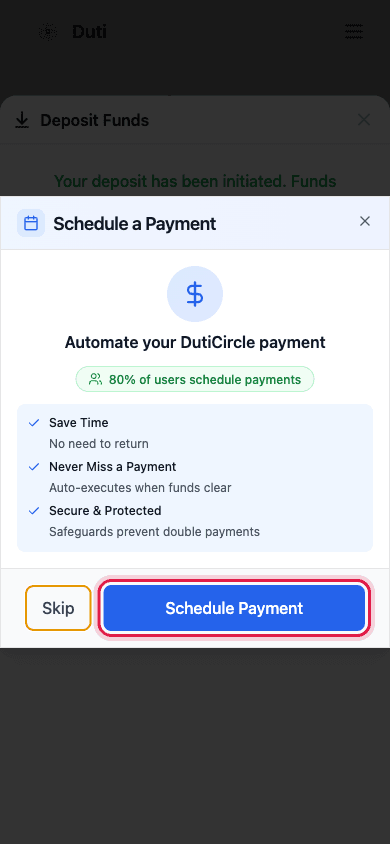
Schedule the dues payment now, or tap Skip to pay manually later.
Know when it landed
While the deposit is on its way, it shows under Pending Transactions on your wallet home — you may need to refresh the page to see it appear. When it clears (usually the next business day), the pending row disappears and your Current Balance goes up. If you don't see the pending row right away, don't panic: the green “Your deposit has been initiated” banner at confirm time means it's moving.
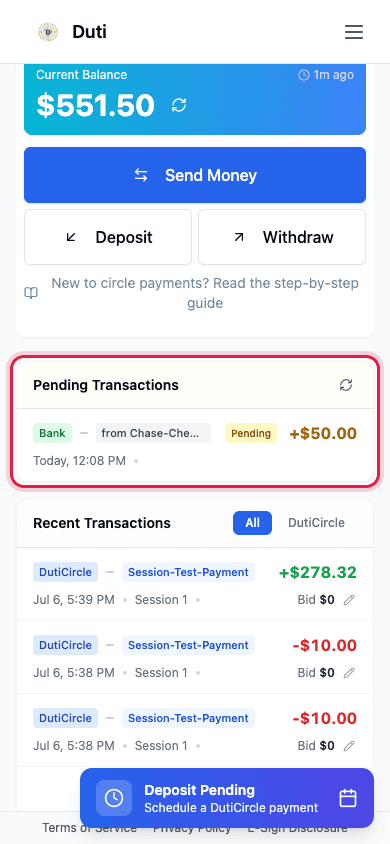
Your deposit waits under Pending Transactions until it clears into your balance.
Good to Know
Deposit early
Deposits travel by ACH bank transfer and take 1–2 business days. Fund your wallet a few days before your circle dues are due.
Where the money comes from
Deposits pull from the bank account you linked via Plaid. Money in your wallet is held with our banking partner.
Scheduling beats remembering
The Schedule a Payment option after a deposit acts as auto-pay for that circle payment — it fires once your funds clear.
Minimums and limits
Deposits move exactly the amount you enter — Duti doesn't add a fee on top.
Common Questions
Typically 1 business day, and up to 2. Weekends and bank holidays don't count as business days, so a Friday deposit may not land until the following week.
Probably not — refresh the page and look for a Pending Transactions section on your wallet home; processing deposits appear there (sometimes after a short delay). Your other confirmations are the green “Your deposit has been initiated” banner at confirm time and the Current Balance increase once it clears. If neither shows after 2 business days, contact support.
Once you tap Confirm Transaction, the deposit is submitted to the bank network. If it was a mistake, contact support quickly and they'll see what's possible.
Usually one of two things: not enough money in your bank account, or a broken bank connection. Reconnect your bank if needed, make sure the funds are there, and try the deposit again.
No — Duti doesn't charge deposit fees. The amount you enter is the amount that arrives in your wallet.