Placing & Editing Bids
Bid to receive your payout early
Bidding lets you compete to receive your circle's payout early. This guide shows you exactly how to place a bid when you pay, and how to change it before bidding closes. (For why bidding works the way it does, see the How Bidding Works guide.)
Tap “Send Money”
Open your Duti Wallet and tap the Send Money button. This is how you pay into a circle — and place your bid at the same time.
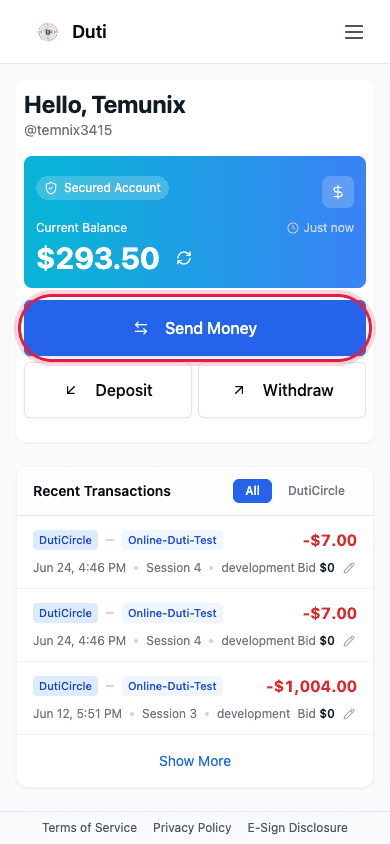
The Send Money button sits right under your wallet balance.
Choose your circle
In the list of Your Duti Circles, tap the circle you want to pay into. You can also search by name or circle code.
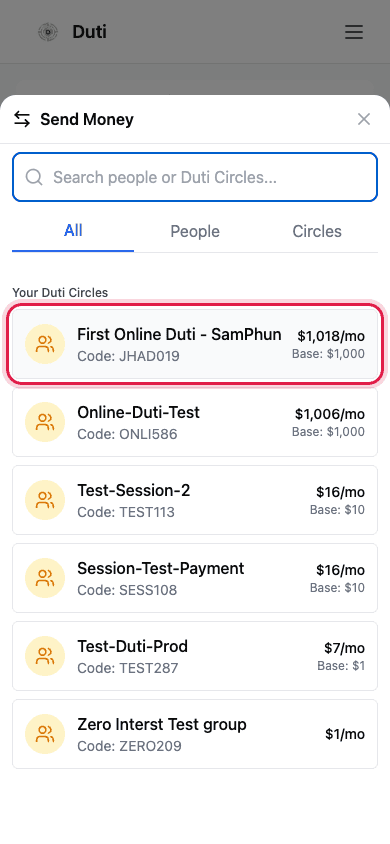
Pick the circle you're paying into from Your Duti Circles.
Enter your bid & confirm
The contribution amount is filled in for you. In the Bid Amount (Optional) field, enter how much you want to bid — it must be at least the circle's minimum. A higher bid improves your chance of winning this round's payout. Then tap Review Payment to submit.
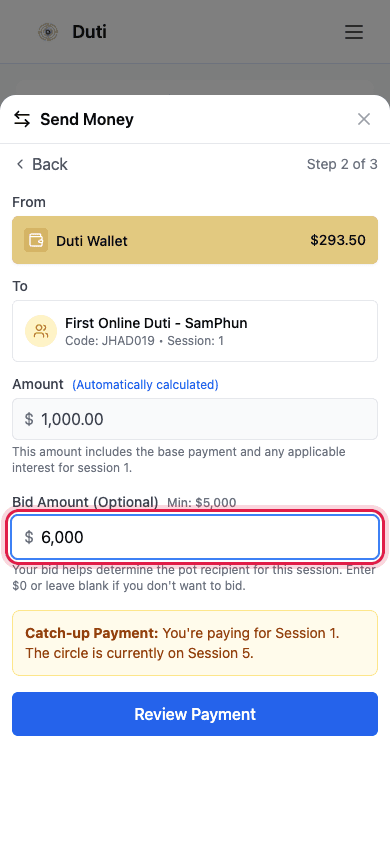
Enter your bid in the Bid Amount field, then tap Review Payment.
- Your bid must be at least the minimum shown
- Leave it at $0 (or blank) if you don't want to bid this round
- Your bid is submitted together with your contribution — it is not a separate charge
Tap “Edit bid” in Recent Transactions
Open your Duti Wallet and find the circle payment in Recent Transactions. Tap the pencil Edit bid button next to it.
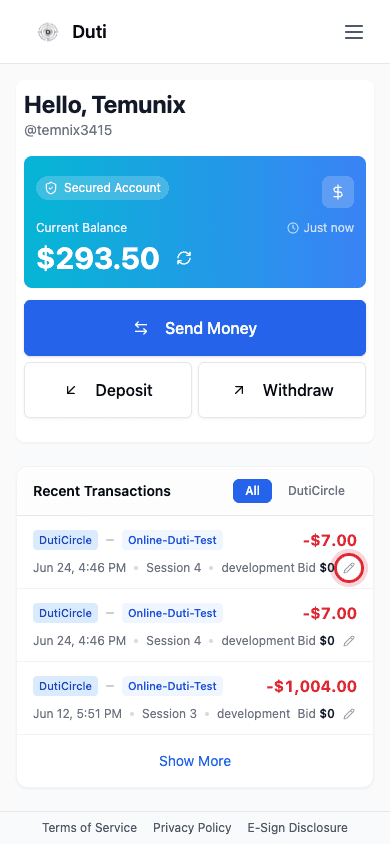
Each circle payment shows your current bid and a pencil Edit bid button.
Enter your new amount & Update Bid
In the Edit Bid Amount window, type your new bid (within the Min and Max shown), then tap Update Bid. Your bid updates instantly.
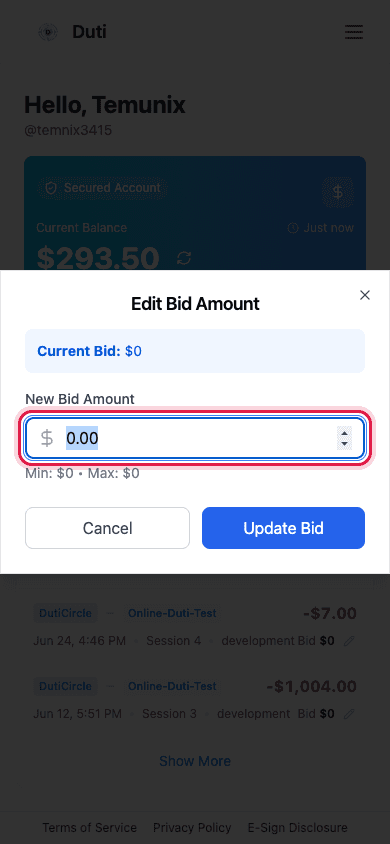
Type a new amount, then tap Update Bid. To withdraw your bid, set it back to 0.
Good to Know
Bidding window
You can place or change a bid only while bidding is open for the session.
Min & Max
Every bid must fall within the circle's minimum and maximum bid amounts.
Previous winners
If a slot has already won a payout, that slot can't bid again.
Changing your mind
You can edit your bid any time before bidding closes — set it to 0 to withdraw.
Common Questions
You receive the circle's payout early this round. Your bid amount becomes a bonus that is shared with the other members.
Yes. Use the "Edit bid" button in Recent Transactions any time before bidding closes.
Open "Edit bid" and set the amount back to 0 before bidding closes.
Bidding may be closed for the session, or your slot may have already won a payout.