Withdrawing Your Money
Move your winnings from your Duti Wallet to your bank
When you win your circle's payout — or any time you have a balance in your Duti Wallet — the money sits in your Duti Wallet first. Withdrawing moves it out to your linked bank account. This guide shows you exactly how, in four steps.
Tap “Withdraw”
Open your Duti Wallet. Under your balance you'll see three buttons — Send Money, Deposit, and Withdraw. Tap Withdraw.
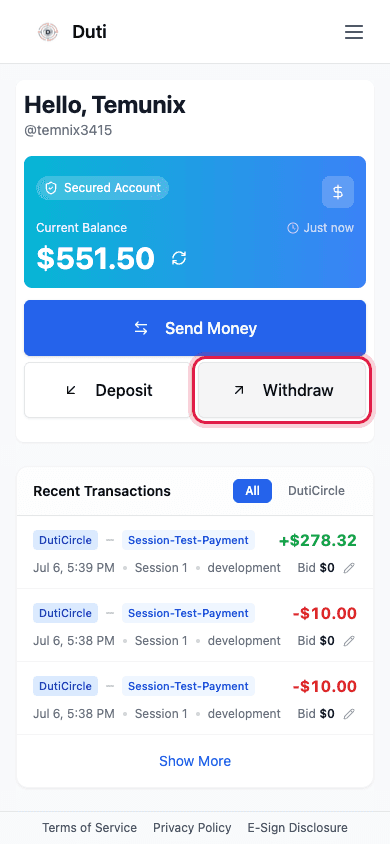
The Withdraw button sits under your wallet balance, next to Deposit.
Enter the amount
Type how much you want to withdraw. Your available Duti Wallet balance is shown at the top — you can withdraw any amount up to that balance.
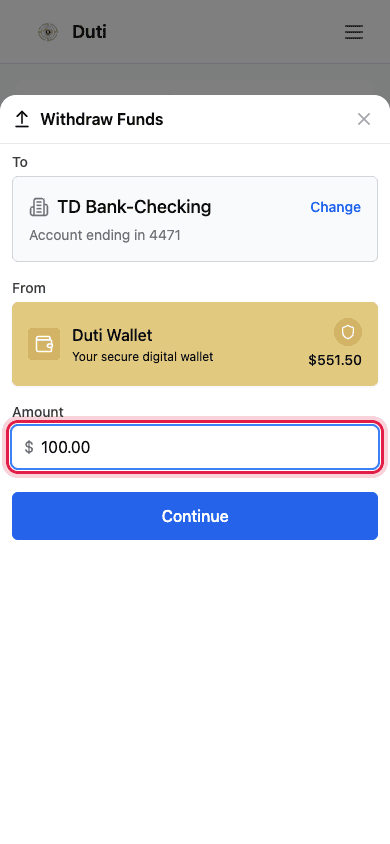
Enter the amount to withdraw. Your available balance is shown above.
Choose your bank account
Pick the linked bank account where you want the money to land. Only bank accounts you've already linked and verified will appear here.
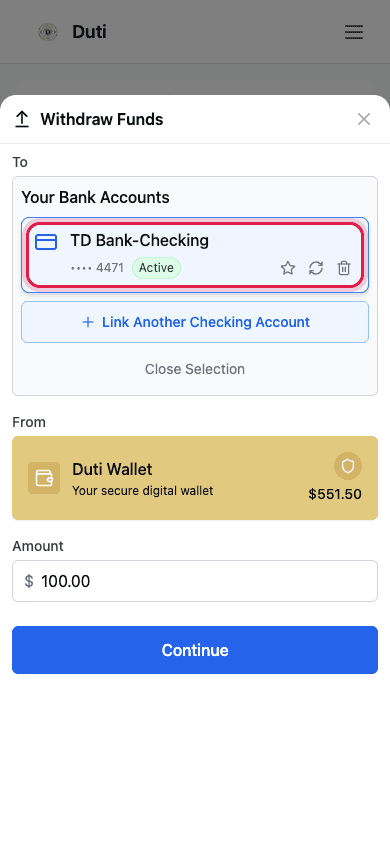
Select the bank account that will receive your money.
Review & confirm
Check the amount and the destination bank, then confirm. You'll see “Your withdrawal has been initiated.” The money leaves your Duti Wallet and heads to your bank — it typically arrives within 1 business day.
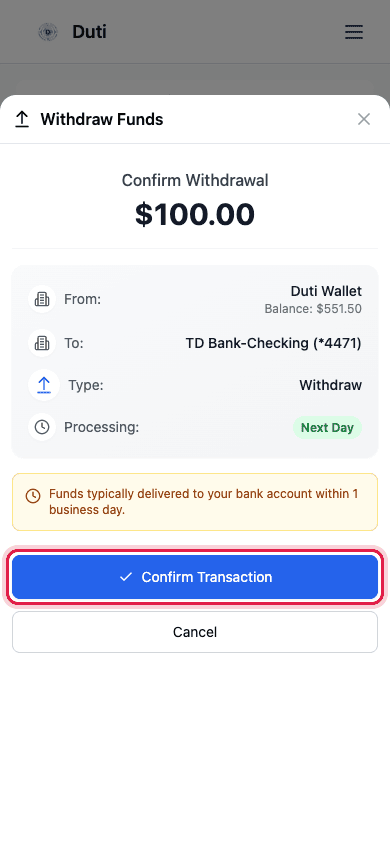
Confirm the details. The money leaves your Duti Wallet and is on its way to your bank.
- The money moves out of your Duti Wallet — your wallet balance goes down by the amount you withdraw
- Withdrawals typically arrive in your bank within 1 business day
- You can only withdraw to a bank account you've already linked and verified
Good to Know
Where your money is
Winnings and deposits sit in your Duti Wallet until you withdraw them. They are not in your bank until you cash out.
Arrival time
A withdrawal typically arrives in your bank account within 1 business day of confirming.
Linked bank only
You can only withdraw to a bank account you've already linked and verified in the app.
An empty wallet is normal
After withdrawing everything, your Duti Wallet shows $0. The money isn't lost — it's on its way to your bank.
Common Questions
Your winnings land in your Duti Wallet first, not directly in your bank. Open your Duti Wallet, tap Withdraw, and send the money to your bank account. It typically arrives within 1 business day.
Usually within 1 business day after you confirm the withdrawal.
That's expected. Withdrawing moves the money out of your Duti Wallet and into your linked bank account, so the wallet balance goes down. The money is on its way to your bank, not lost.
The linked bank account you choose on the “Choose your bank account” step. You can only withdraw to a bank you've already linked and verified.
Once initiated, a withdrawal can't be cancelled from the app. If you made a mistake, contact Duti support right away.