Join a Circle with a Circle Code
Your organizer’s code is your ticket in
Been invited to a Duti circle? Every circle has its own short code, and the organizer shares it with the people they invite. This guide shows you where that code goes, how to join with a single tap, and how to confirm you’re in — three taps and you’re a member.
Find the Join a Circle card
Sign in and open your User Info page. Below your existing circles sits the Join a Circle card with a single Circle Code field — that’s where your code goes. Your organizer shares the code with you directly (over WhatsApp, or in person), and you only need it once.
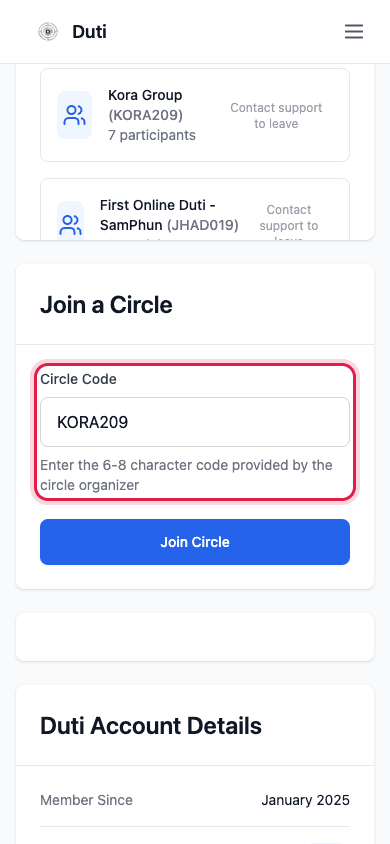
The Circle Code field lives in the Join a Circle card on your User Info page.
Enter the code and tap Join Circle
Type the code exactly as your organizer sent it, then tap the blue Join Circle button. That one tap makes you a member.
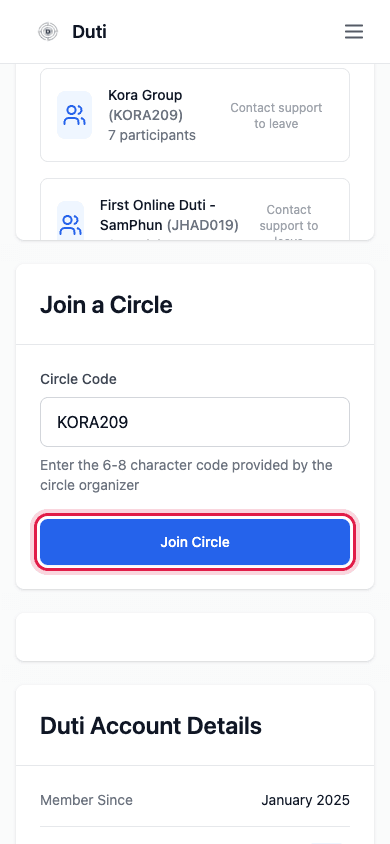
Type the code, then tap Join Circle — that’s the whole join.
- Codes are 6–8 characters — letters and numbers only
- No spaces — type it as one word, exactly as sent
- Not going through? Double-check every character with your organizer
You’re in — look for your circle
That’s it. Your new circle appears under Your Duti Circles with its code and participant count, and it shows up on your dashboard too. Your dues schedule starts with the circle’s next session.
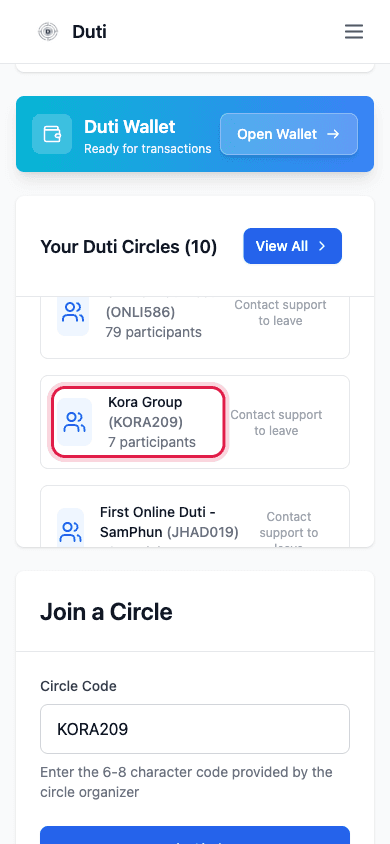
Your newly joined circle appears under Your Duti Circles.
Good to Know
Where joining lives
The Join a Circle card is in your User Info section, just below your existing circles — it’s the same place whether it’s your first circle or your fifth.
One code, one slot
Joining twice with the same code isn’t how you get extra slots. If you want more than one slot in a circle, talk to your organizer about additional slots.
What happens right after
The circle appears in Your Duti Circles and on your dashboard, and your dues schedule starts with the circle’s next session. Head to your Duti Wallet to make your first payment — see the pay-dues guide.
Leaving isn’t symmetric
Joining takes one tap, but once an online circle’s sessions start, leaving requires contacting support — that protects everyone’s payouts.
Common Questions
Double-check every character with your organizer — codes are exact. A single swapped letter or number is the usual culprit.
Only organizers hand them out — ask the person who invited you to the circle.
Contact support right away, especially before paying anything — they can sort out your membership.
No — you can join first. But link a bank and fund your wallet before the first due date so your dues arrive on time; see the deposit guide.